
Mini Project Stories
How small web projects helped me learn APIs, UI design, debugging, and performance optimization.

TL;DR: Small projects may seem simple, but they are one of the most powerful ways to learn web development. In this post, I share lessons from building mini projects like a weather app, a movie website, and my personal portfolio.
Introduction
When people start learning web development, they often focus on big projects or complex frameworks. But in reality, most developers improve their skills by building small, focused projects.
These projects may look simple on the surface, but they teach you some of the most valuable skills in programming:
Debugging real problems
Designing user interfaces
Structuring code
Improving performance
Learning how to think like a developer
In this article, I want to share a few mini project stories from my own experience and the lessons I learned while building them.
Project 1: Building a Weather App
One of my early projects was a Weather Application that fetches live weather data from an API.
At first, the goal seemed simple:
Enter a city name and display the weather.
But the moment I started implementing it, I realized there were multiple challenges.
Problem 1: Working with APIs
I had to learn how to fetch data from an external API.
Example JavaScript request:
async function getWeather(city) {
const response = await fetch(
`https://api.open-meteo.com/v1/forecast?latitude=35&longitude=139¤t_weather=true`
);
const data = await response.json();
console.log(data);
}
This project taught me:
How APIs work
Handling JSON data
Using async/await
These concepts appear everywhere in modern web development.
Problem 2: Handling User Input
Users could type anything into the search box:
Misspelled cities
Empty input
Invalid queries
So I added validation:
if (city.trim() === "") {
  alert("Please enter a valid city name.");
  return;
}
This taught me something important:
Good software anticipates user mistakes.
Project 2: Movie Website
Another project I built was a movie browsing website where users could explore movies, view posters, and read details.
This project focused more on UI design and layout.
Lesson: Designing Layouts with CSS
Creating visually appealing layouts is harder than it seems.
I experimented with CSS Grid and Flexbox.
Example movie grid:
.movie-grid {
  display: grid;
  grid-template-columns: repeat(auto-fit, minmax(200px, 1fr));
  gap: 20px;
}
What I learned:
Responsive layouts
Grid vs Flexbox
Spacing and alignment
Designing layouts helped me understand how real-world websites structure their content.
Project 3: Personal Portfolio Website
One of the most meaningful projects I built was my personal portfolio website.
Unlike other projects, this one represents who I am as a developer.
Lesson: Design Matters
A portfolio is not just about showing projects — it's about presenting them clearly.
Important elements include:
Clean typography
Consistent spacing
Good color contrast
Smooth animations
Small improvements make a big difference.
For example:
.project-card {
  transition: transform 0.3s ease;
}

.project-card:hover {
  transform: translateY(-6px);
}
Even a small hover effect makes the site feel more interactive.
Project 4: Performance Improvements
After finishing some projects, I started learning about performance optimization.
One interesting discovery was image optimization.
Large images can slow down websites significantly.
Example improvement:
<img src="project.webp" loading="lazy" alt="Project preview">
Benefits:
Faster loading
Better user experience
Higher Lighthouse score
Performance optimization is something many beginners ignore, but it makes a huge difference.
The Real Value of Mini Projects
Mini projects are powerful because they allow you to:
Experiment freely
Make mistakes safely
Learn concepts quickly
Build confidence
Instead of waiting until you feel “ready”, the best approach is simply:
Build something small and improve it step by step.
Over time, these small experiments become a strong portfolio.
Tips for Building Your Own Mini Projects
If you're starting out, here are some ideas:
Beginner Ideas
To-do list app
Weather app
Random quote generator
Calculator
Portfolio website
Intermediate Ideas
Movie database viewer
Blog system
Markdown editor
Dashboard UI
The goal is not perfection — the goal is learning through building.
Final Thoughts
Looking back, the biggest progress in my development journey came from building small projects consistently.
Every mini project taught me something new:
APIs
CSS layouts
Debugging
Performance optimization
UI design
Even the smallest project can teach valuable lessons.
So if you're learning web development right now, my advice is simple:
Build something small today.
You’ll be surprised how much you learn along the way.
Thanks for reading!
If you're interested in web development experiments, tutorials, and project breakdowns, follow along for more posts.
“Some of the mini projects discussed in this article.”
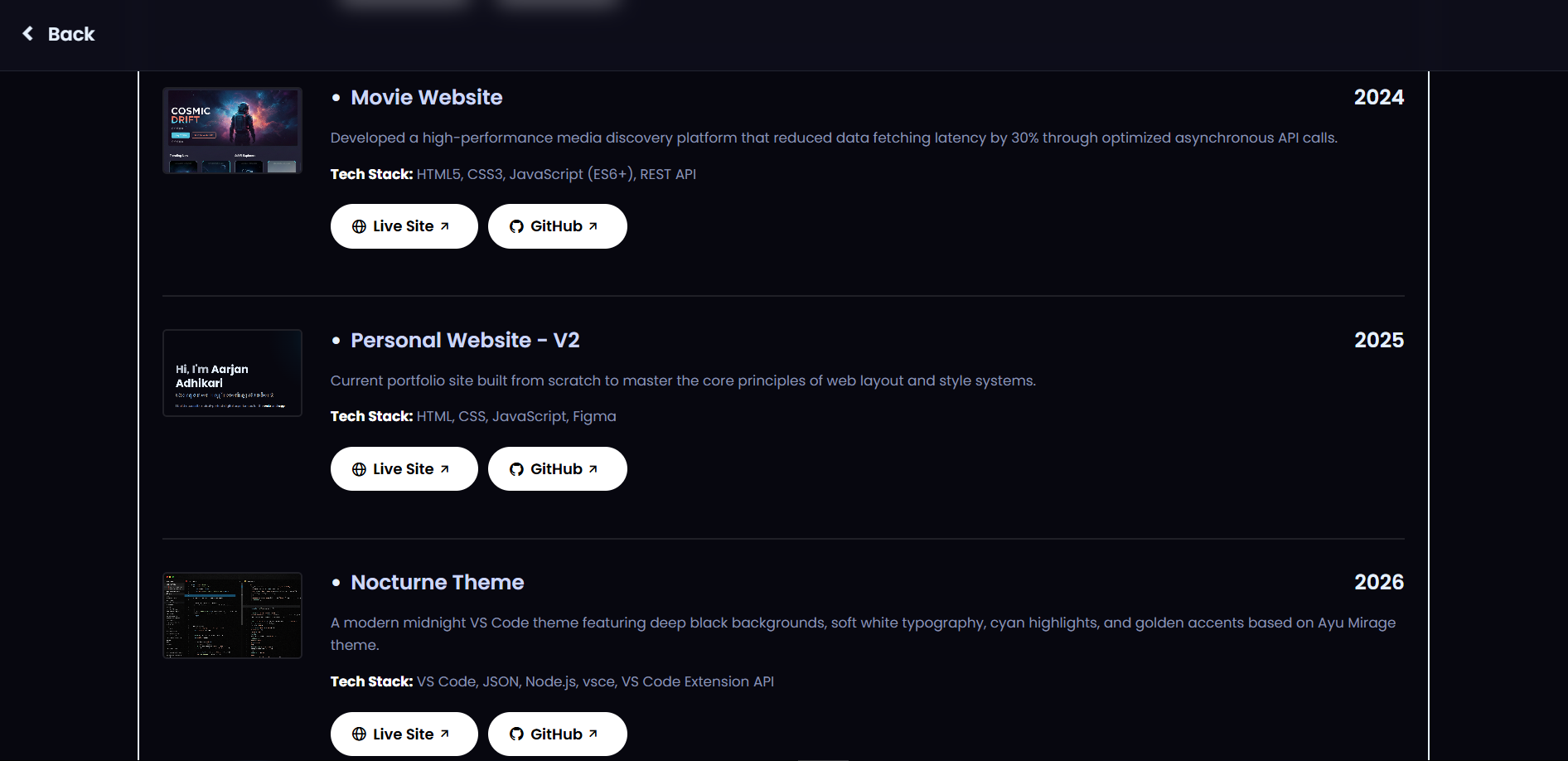
(**YOU CAN VISIT THESE PROJECTS THROUGH MY WEBSITE: https://www.aarjanadhikari.com.np/project-archive.html)

